





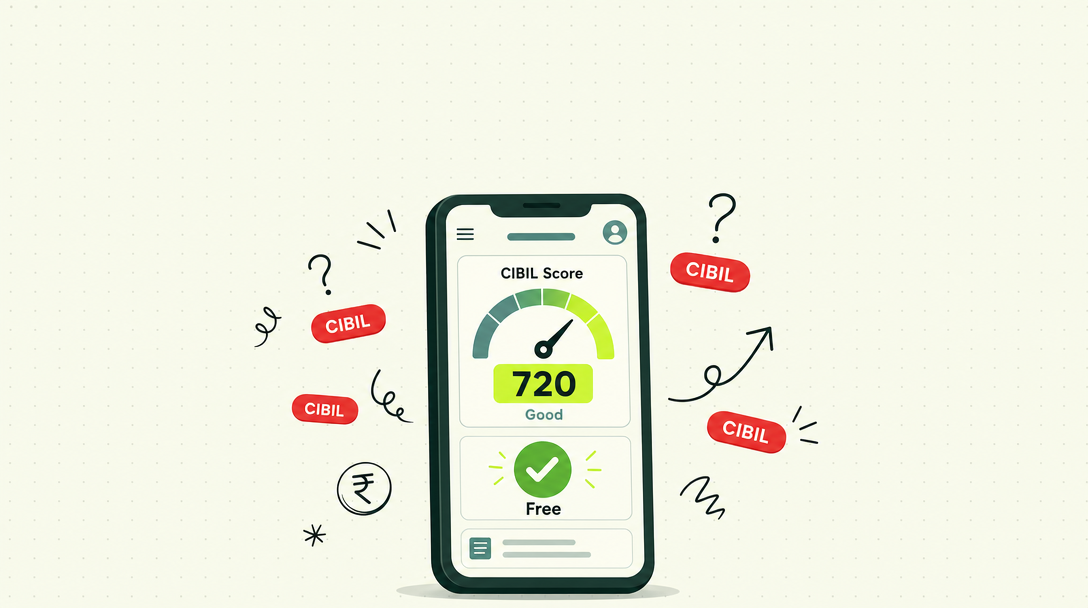
Here’s how to check your CIBIL score in GPay: open Google Pay, scroll down to the “Manage your money” section, tap “Check your CIBIL score for free,” confirm your name as it appears on your PAN, and your score will appear in seconds. It’s free, and it doesn’t lower your score.
That’s the quick version. Below is the detailed walkthrough, plus what to do with the number once you see it.
What Is CIBIL Score in GPay?
Let’s start with what a CIBIL score in GPay is.
Google Pay partnered with TransUnion CIBIL to show users their credit score inside the app. It’s your real CIBIL score, pulled directly from the bureau.
You’ll see:
- Your CIBIL score, between 300 and 900
- A summary of your credit accounts
- Tips on what affects your score
- An option to refresh the score periodically
It’s one of the easiest ways to keep an eye on your credit health.
How to Check CIBIL Score in GPay: Step by Step
The app layout can change a little with updates. But the steps usually look like this.
Step 1: Update and Open Google Pay
Make sure you have the latest version of Google Pay. Open the app and unlock it.
Step 2: Scroll to “Manage Your Money”
On the home screen, scroll down. Look for the “Manage your money” section.
Step 3: Tap “Check Your CIBIL Score for Free”
Tap the CIBIL score option. If you don’t see it, try searching “CIBIL” in the app’s search bar.
Step 4: Confirm Your Details
Enter or confirm your name exactly as it appears on your PAN card. Google Pay may already fill in your mobile number.
Step 5: View Your Score
Your score and a short report appear in a few seconds. You can come back later to see updates.
Does Checking CIBIL Score in GPay Reduce Your Score?
No. This is a common worry, so let’s clear it up.
Checking your own score is a soft enquiry. Soft enquiries don’t affect your score at all. You can check it as often as you like.
What affects your score is a hard enquiry. That happens when a lender checks your report after you apply for a loan or card.
| Type of check | Who does it | Affects score? |
|---|---|---|
| Soft enquiry | You, through GPay or CIBIL | No |
| Hard enquiry | A lender, after you apply | Yes, slightly |
Why Your GPay CIBIL Score Might Look Different
Sometimes the score in GPay doesn’t match what a bank tells you. Here’s why:
- Update timing. GPay may show the score from its last refresh.
- Different bureau. The bank may be using Equifax, Experian, or CRIF, not CIBIL.
- Different score version. Lenders sometimes use their own models.
A small difference is normal. A big gap may mean an error worth checking. Knowing how to check CIBIL score in GPay helps you spot that gap early.
Other Free Ways to Check Your CIBIL Score
Google Pay isn’t your only option:
- The official CIBIL website gives one free full report every year.
- Your bank’s app may show your score.
- Other credit bureaus, like Equifax, Experian, and CRIF, also give one free report a year.
- Trusted fintech apps often show scores for free.
Only use apps you trust. Never share OTPs with anyone claiming to “check your score.”
What to Do After You Check Your CIBIL Score in GPay
A number alone doesn’t help much. Here’s how to use it.
If Your Score Is 750 or Above
Great. You’ll likely get good loan offers. Compare lenders before you accept one.
If Your Score Is 650 to 749
You’re in a fair zone. Focus on on-time payments and lower card use. Your score should improve steadily.
If Your Score Is Below 650
Don’t rush into a costly loan. Get your full report and look for errors. Raise a CIBIL dispute if something is wrong. Then build good habits for a few months.
If You See a Loan You Don’t Recognise
This could be a reporting error or fraud. Raise a dispute with CIBIL right away. If you suspect fraud, report it at cybercrime.gov.in or call 1930.
Quick Tips to Improve Your CIBIL Score
- Pay every EMI and card bill on time.
- Keep card use below 30% of your limit.
- Avoid applying for many loans at once.
- Keep old credit cards open if they’re free.
- Check your report regularly for mistakes.
A Small Habit That Saves You Money
Once you know how to check your CIBIL score in GPay, it takes less than a minute. Doing it before you apply for a loan can save you from rejections, extra enquiries, and high rates.
At TapTap Loans, it’s one of the first things we ask about. When you know your score, you can choose the right lender, instead of applying everywhere and hoping.
Frequently Asked Questions
Open Google Pay, scroll to “Manage your money,” tap “Check your CIBIL score for free,” confirm your name as on your PAN, and your score will appear.
It’s your actual TransUnion CIBIL score, shown inside Google Pay through a partnership with CIBIL. It ranges from 300 to 900 and includes a summary of your accounts.
No. It’s a soft enquiry, which has no impact on your score. You can check it as often as you like.
Your bank may use a different bureau, a different score model, or a more recent update. Small differences are normal.
Yes. It’s an official partnership with TransUnion CIBIL. Just make sure you’re using the genuine Google Pay app and never share OTPs with anyone.
Conclusion
Now you know how to check your CIBIL score in GPay: open the app, go to “Manage your money,” tap the CIBIL option, and confirm your PAN name. It’s free, fast, and safe.
Check it every few months. Use it to spot errors early and plan your next loan wisely.