





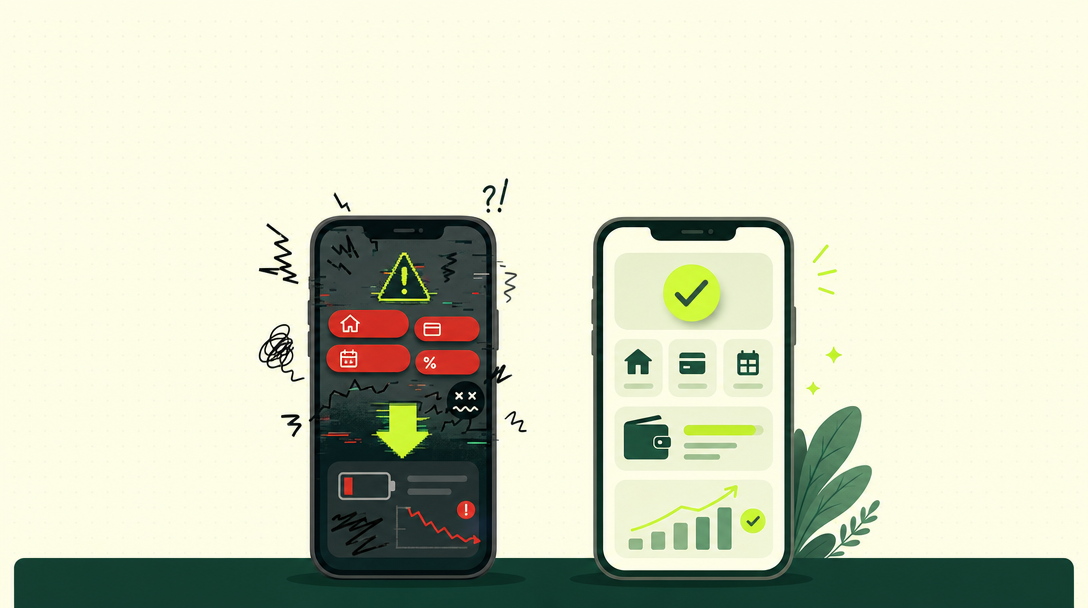
A fake instant loan app almost always shares the same warning signs. No named lender. Hidden fees. Excessive phone permissions. This guide walks through exactly how to tell a fake instant loan app from a real one, before you share a single document.
Why This Question Matters So Much Right Now
India’s app stores are full of lending apps. Hundreds of them. Some are genuinely regulated, backed by real banks and NBFCs. Others aren’t. A few have caused real harm: hidden charges, harassment, data misuse.
Telling them apart isn’t always obvious from the app icon or the star rating alone.
Sign 1: Does It Name the Actual Lender?
This is the single biggest tell. A real app clearly states which bank or NBFC is actually lending you the money. A fake, or at least risky, app hides behind its own brand name only, with no regulated entity named anywhere.
Before you apply anywhere, look specifically for this name. If you can’t find it within a minute of browsing, that’s your first red flag.
Sign 2: Can You Verify That Lender on RBI’s Website?
Once you have a name, check it. RBI publishes an official list of regulated banks and NBFCs. A genuine app’s named lender will appear there. A fake app’s claimed partner often won’t, or the name won’t match anything real at all.
Sign 3: Is the Total Cost Shown Before You Accept?
Real apps, under RBI’s Digital Lending Directions, must show a Key Fact Statement. This is a simple, upfront summary of your interest rate, every fee, and your total repayment amount. You see this before accepting the loan, not after.
Fake or risky apps often reveal the real cost only after you’ve already committed, sometimes only after the money has already been disbursed.
Sign 4: What Permissions Is It Asking For?
This one’s easy to check yourself. Open the app’s permission request, or check your phone’s app settings. A real lending app needs basic access, enough to verify your identity and bank details.
It doesn’t need your full contact list. It doesn’t need your photo gallery. It doesn’t need your SMS history beyond what’s genuinely necessary. Excessive requests here are one of the strongest fake-app signals there is.
Sign 5: How Does It Handle a Late Payment?
Real, regulated lenders follow RBI’s fair practices code for recovery. Reasonable hours. No threats. No public shaming. Fake or unregulated operators sometimes threaten to contact your family, your employer, or post about your debt publicly. This crosses a clear line, and it’s illegal regardless of what the app claims.
Sign 6: Does It Have Reviews Outside Its Own App Store Page?
Check Google reviews. Next, look at independent forums. Finally, review recent news coverage. A pattern of complaints about harassment, hidden fees, or data misuse is a serious signal, even if the app’s own in-app rating looks fine.
Sign 7: Is There a Real Way to File a Complaint?
Every legitimate lending relationship needs a grievance path. A named grievance officer. A way to escalate to the RBI Banking Ombudsman if unresolved. If an app has no visible complaint process at all, that’s worth treating seriously.
Sign 8: Does It Pressure You to Decide Immediately?
Genuine lenders give you time to read terms. Apps pushing you to accept within minutes, with countdown timers or urgent language, are using pressure tactics that real, regulated lenders don’t typically need.
A Quick Comparison Table
| Signal | Likely Real | Likely Fake or Risky |
|---|---|---|
| Lender name | Clearly shown | Missing or vague |
| RBI registration | Verifiable | Can’t be confirmed |
| Cost disclosure | Shown upfront | Revealed later |
| Phone permissions | Minimal, relevant | Excessive |
| Recovery behavior | Follows fair practices | Aggressive, threatening |
| Reviews | Mixed, but present externally | Absent or suspiciously perfect |
| Complaint process | Clear and visible | Missing entirely |
Why Fake Apps Look So Convincing Today
A few years ago, fake lending apps looked obviously sketchy. Broken English. Ugly design. Not anymore. Many now copy the look of real fintech apps closely. Clean design. Professional logos. Polished screens. This is exactly why checking the substance matters more than how an app simply looks.
A Real Example of How the Trap Works
Picture this. You search for “instant loan.” You download an app with a 4.5-star rating and thousands of downloads. It asks for basic details. It approves you in minutes. You feel relieved.
Only later do you notice something. The “processing fee” wasn’t clearly shown. It got deducted before you even received the loan. This pattern is common. High star ratings can be manipulated. Or they reflect people who haven’t hit a problem yet. Ratings alone don’t replace the checks in this guide.
Why Checking Reviews Isn’t Always Enough on Its Own
Reviews help. But treat them carefully too. Some risky apps get a wave of positive reviews early on, before problems surface. Look at recent reviews specifically, not just the overall average. Look for detailed complaints, ones mentioning specific issues, not just vague one-star ratings with no explanation.
What Happens Once You’ve Shared Too Much Data
Already granted broad permissions to a risky app? Contacts. Photos. SMS access. Understand what this means. The app may have already copied this data, even if you revoke the permission later. This is one more reason checking permissions before installing matters more than trying to undo it after.
How Regulators Are Responding to This Problem
RBI’s Digital Lending Directions exist for exactly this reason. This problem grew widespread enough to need a formal response. Named lenders are now required. Cost disclosure is mandatory. Data access has limits. Recovery must follow fair practices. These rules give you real, enforceable rights. But only if you’re dealing with an entity actually bound by them. This is why verifying regulatory status matters so much.
A Simple Test You Can Run in Under a Minute
Before downloading any loan app, ask yourself three quick questions. Can I name the actual lender behind this app? Can I find that lender on RBI’s official list? Does the app show me the full cost before I accept anything?
Three “yes” answers are a good sign. Any single “no” deserves a much closer look before you proceed.
What to Do Before You Download Any Loan App
Search the app’s name alongside “RBI regulated” before installing. Read a few independent reviews, not just the app store rating. Check what permissions it requests during setup, before you grant them. And never rush this check, even if your need for funds feels urgent.
What to Do If You Suspect an App Is Fake
Don’t submit any further documents. Don’t share OTPs or banking passwords; no legitimate app or lender ever needs these directly. If you’ve already shared information, monitor your accounts closely, and consider reporting the app through RBI’s official complaint channels.
Why Fake Apps Specifically Target Urgent Borrowers
People searching for instant loans are often in a hurry- a medical bill, a rent deadline, an emergency. Fake apps count on this urgency to rush you past the checks you’d normally make. Recognizing this pattern is itself a form of protection. Slowing down, even by five minutes, is often enough to catch the warning signs.
Real Apps Aren’t Necessarily Slower
A common myth is that legitimate, careful lending always takes longer. This isn’t quite true. Many properly regulated digital lenders disburse within hours too; they just do it while still meeting every disclosure and verification requirement along the way. Speed alone isn’t a sign of legitimacy, and slowness alone isn’t a sign of safety either. The checks in this guide matter more than how fast an app moves.
How TapTap Helps You Avoid This Entirely
Rather than evaluating individual apps yourself, one by one, a platform like TapTap only works with RBI-regulated banks and NBFCs from the outset. Every lender in the network is named, verifiable, and bound by the same fair practices rules covered in this guide, removing the guesswork from the equation entirely.
Frequently Asked Questions
Search its name alongside “RBI regulated,” and check whether independent reviews mention hidden fees or aggressive recovery before you even install it.
Full access to your contact list, photo gallery, or SMS messages beyond what’s genuinely required for identity verification are all excessive, unnecessary requests.
Not by itself. Many legitimate, RBI-regulated digital lenders disburse quickly too. Speed alone isn’t the deciding factor; the other signals in this guide matter more.
Stop sharing anything further, monitor your bank accounts and credit report closely, and report the app through RBI’s official complaint channels if you suspect wrongdoing.
Yes. Suspicious apps may misuse your contact details, ID documents, or financial information. Avoid granting unnecessary permissions and report any suspected misuse promptly.
Conclusion
Fake loan apps can put your money, personal information, and privacy at risk. Before applying, verify the lender’s credentials, review app permissions, check the fees, and avoid apps that use aggressive tactics or demand unnecessary access. A few minutes of verification can help you avoid serious financial and privacy problems.
Want a transparent, RBI-regulated way to compare loan options? Check your eligibility with TapTap across 20+ verified lenders